
Start with the basics, exactly right
Claim and verify the profile with an account the clinic owns, not a freelancer's personal account. Add at least one other manager from your team, so access never depends on a single person.
Use your real clinic name, as it appears on your sign and documents. Adding treatments or city names to the name is against Google's guidelines and can get the profile suspended. Make the address, phone number and website identical to what appears on your site and other directories, and keep your hours up to date, including special hours for holidays.
Fill in the attributes that apply to you, such as wheelchair access or languages spoken, where Google offers them for your category. Small details like these answer questions before a patient has to ask, and they help people decide whether your clinic suits them.
Choose categories with care
The primary category tells Google what your clinic is. Choose the most specific one that describes the clinic as a whole: a dental clinic, a dermatologist, a cosmetic surgeon or a medical clinic, for example. Then add a few secondary categories only for what you really offer. More categories are not better; accurate ones are.
List your services and write a clear description
Add your main treatments as services, with a short plain description of each. Use the words patients use, not only clinical terms. In the business description, explain who the clinic is for, what it specialises in, which languages the team speaks and how a first consultation works. Avoid superlatives you cannot back up, and never promise medical outcomes.
Photos that build trust
Patients want to see where they are going. Upload real, recent photos and refresh them from time to time:
- The entrance and the street, so people recognise the building when they arrive.
- Reception, waiting area and treatment rooms, clean and well lit.
- The team, with their consent.
- Your logo and a cover image that matches your brand.
Do not post before-and-after photos on the profile. They raise consent and privacy questions, they can conflict with advertising rules for medical services in many countries, and they can go against Google's content policies. Keep clinical results for the consultation, with the patient's written consent.
Reviews: ask, never buy, reply to all
Reviews matter to patients, and the way you collect them matters to Google. A few rules keep you on the right side of both:
- Ask every patient the same way, after their visit, with a direct link, and only if they agree to be asked.
- Never offer discounts, gifts or anything else in exchange for a review, and never write reviews yourself or ask staff to.
- Do not ask only the patients you expect to be happy. Selective asking is against Google's rules.
- Reply to every review, positive or negative, politely and in the language it was written in.
When you reply, never confirm that the person is a patient or mention any detail of their treatment, even if they did. Thank them, and for a complaint invite them to contact the clinic directly so you can look into it:
Thank you for taking the time to write this. We take every comment seriously and would like to understand what happened. Please contact our patient coordinator by phone or WhatsApp so we can look into it with you.
Calls, messages and the booking link
Make it easy to take the next step from the profile. Use a phone number that is answered during opening hours. If you use a call-tracking number, Google's guidelines allow it as the primary number, with your main line listed as an additional number. Google has changed its own messaging options over the years, so do not rely on them: make your WhatsApp number and booking page easy to find from the website.
Add an appointment link that goes to a real booking or consultation request page in the patient's language, not to your homepage. Keep posts for useful news: a new treatment, a new practitioner, holiday hours or an open day. Short, factual and with a photo is enough.
Whoever answers the phone should know that some calls will come from the profile. Give them the same guidance as for WhatsApp: introduce themselves, answer what they can, and offer a consultation time before the call ends.
Measure what the profile brings
The profile's own performance view shows how many people called, asked for directions or clicked through to your website. To see what they did next, add UTM parameters to the website and appointment links, for example utm_source=google, utm_medium=organic and utm_campaign=gbp. Your analytics then show visits, form enquiries and bookings that started from the profile, separately from the rest of your search traffic.
Review the numbers monthly, side by side with the enquiries your coordinators logged. That is how you see whether the profile brings real consultations, not only views.
How we help clinics
We set up and optimise Google Business Profiles as part of our SEO work for clinics, alongside the website, booking pages and tracking. We agree what we will do and by when, and we do not promise rankings. What we do is measure calls, enquiries and bookings with you, month after month, so you can see what the work changes.
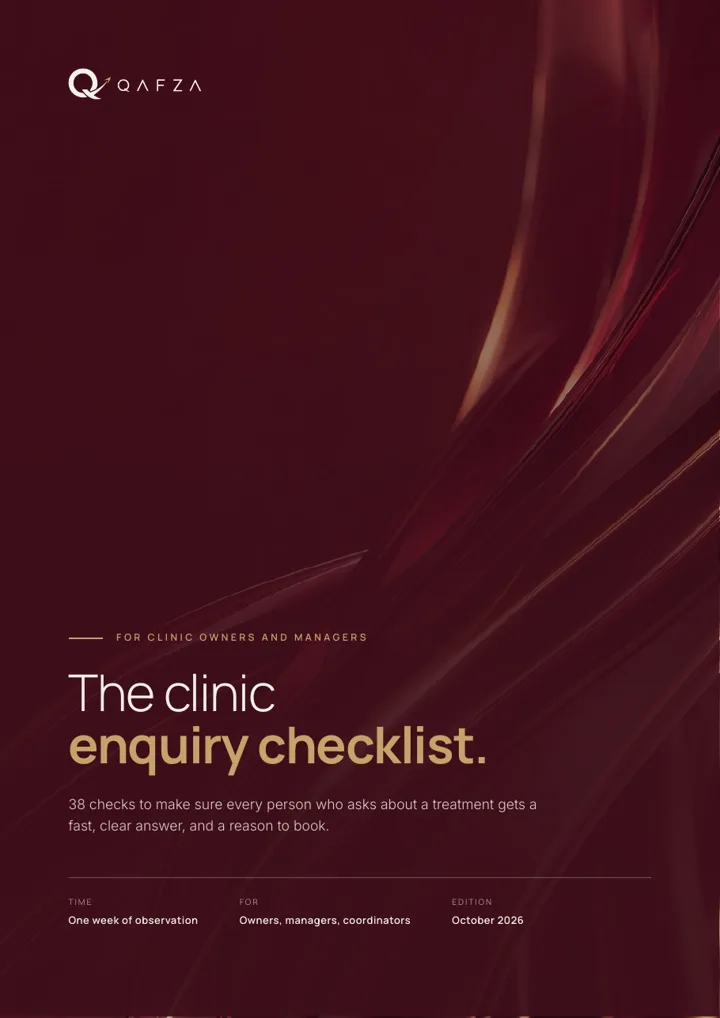 Free: the clinic enquiry checklist38 checks your team can run in a week. Eight-page PDF.Get the checklist
  Qafza teamOctober 3, 2026