
Qafza
Qafza OS · Features

Every part of the work, screen by screen.

From the first enquiry to the monthly report, each step happens in one place and hands over to the next. Here is what your team and your clients actually use.

Sales and proposals

Win the work, then sign it.

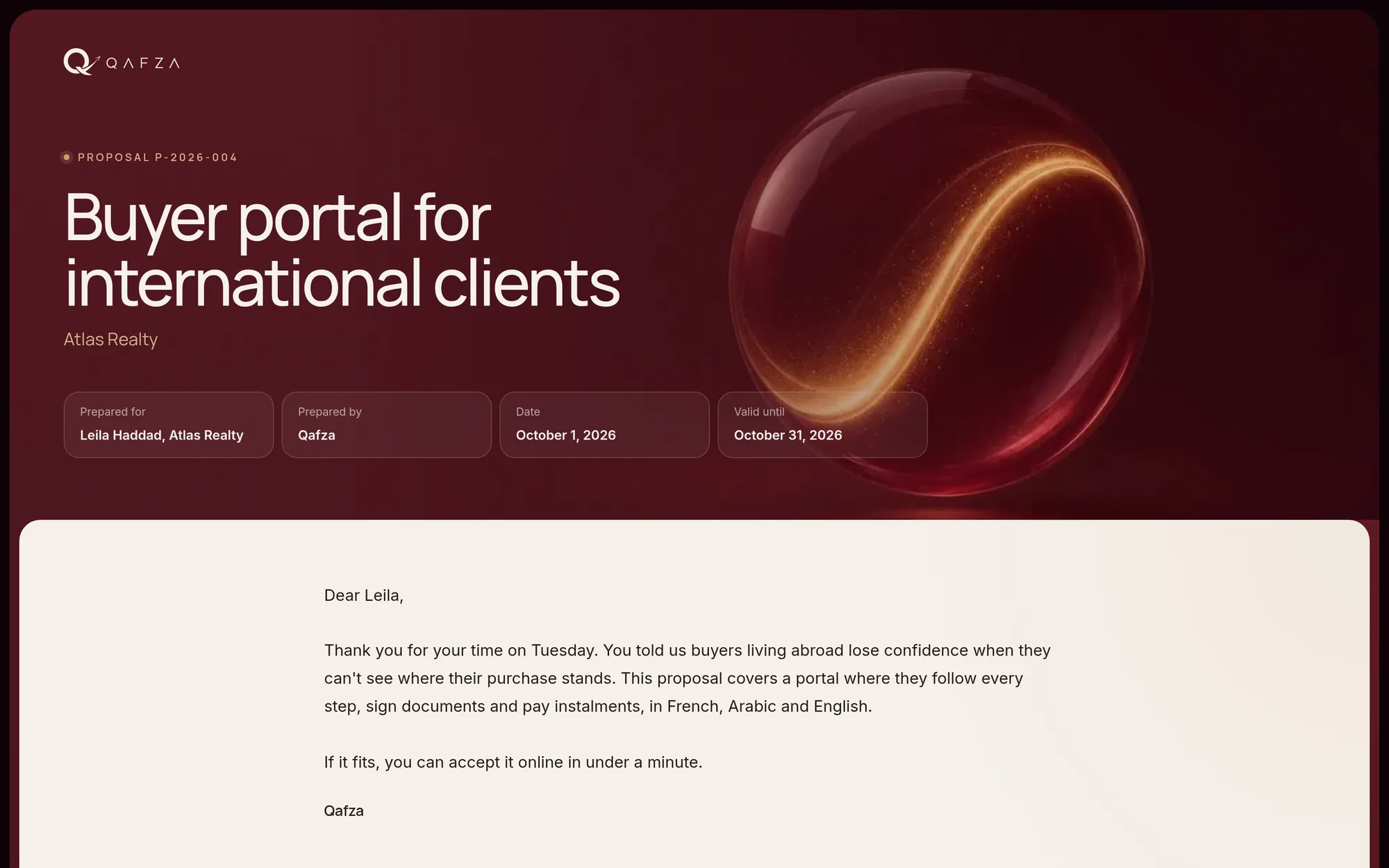
Leads arrive from your website and your booking page. Proposals are built from your packages and signed online; a signed proposal wins the deal and creates the client.

  • Pipeline with stages, follow-up reminders and a timeline per lead
  • Booking page for discovery calls that hides busy times from your calendar
  • Proposals in the client’s language, signed online with automatic follow-ups
  • Service agreements and NDAs filled on your own PDF templates
  • Insights on where your clients come from
app.your-agency.com/p/proposal
Sales and proposals
Client onboarding

Everything you need, before kick-off.

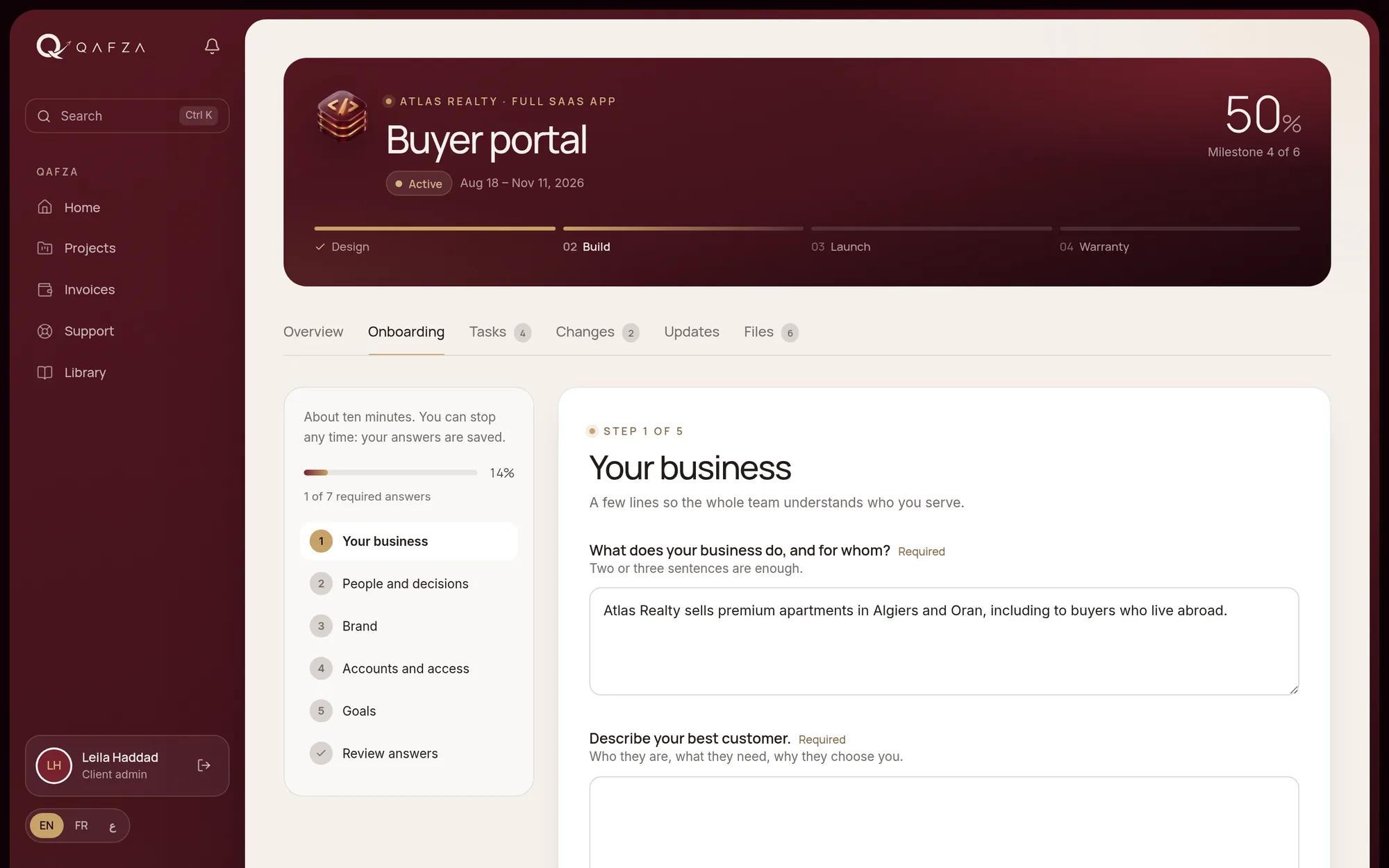
Each service has its own onboarding form. The client fills it in step by step, uploads files and adds their team, and your team is told when it is done.

  • A form per service, edited in Settings
  • Steps, review and send, with files and people
  • Accounts shared through a password manager, never stored
  • A welcome card with the team, the first week and the kick-off call
app.your-agency.com/onboarding
Client onboarding
Projects

Milestones, tasks and approvals.

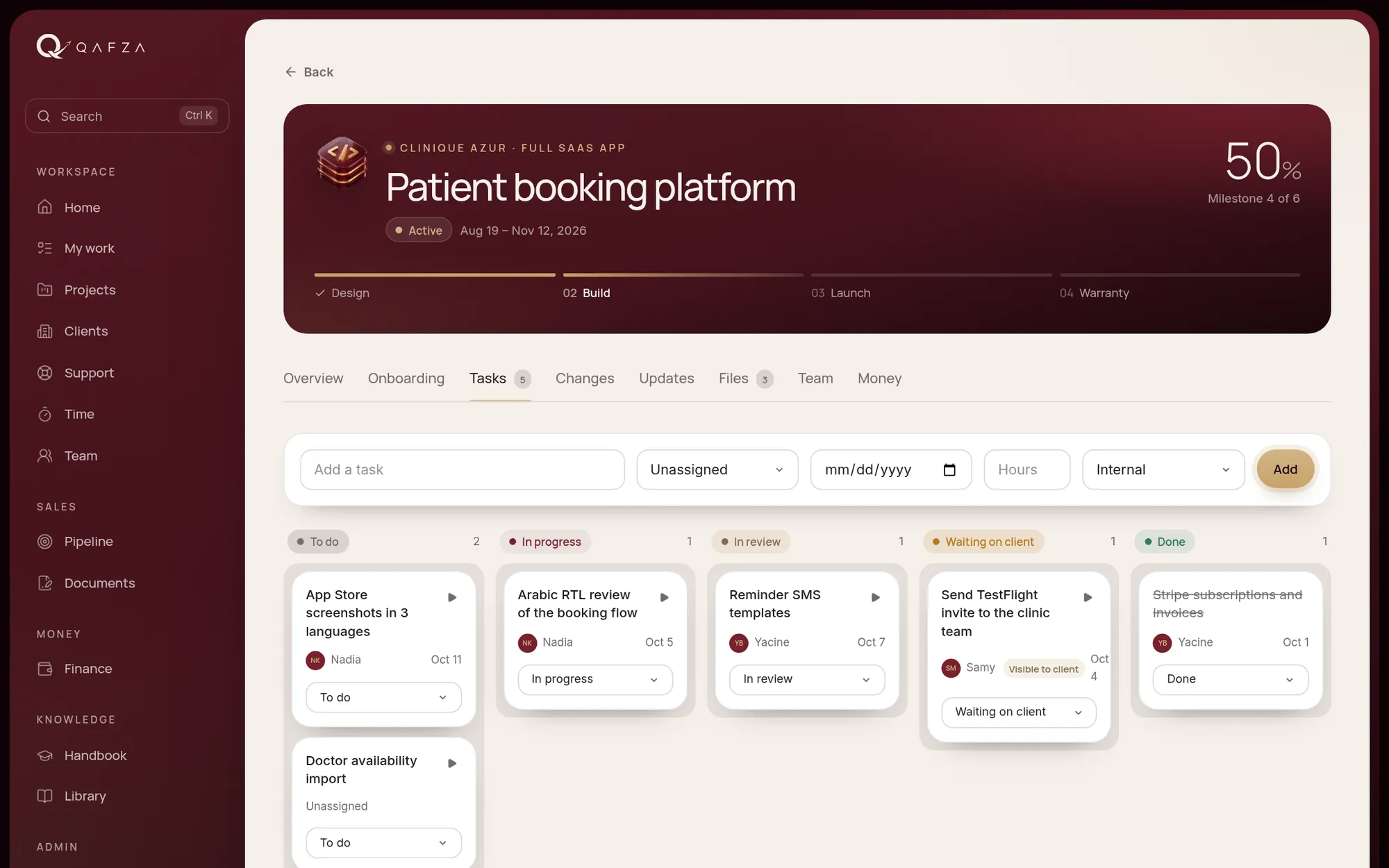
Every project starts from its package: phases, milestones, payment schedule and revision rounds. Your delivery playbook adds the tasks for each step.

  • Task board with a panel to edit details, person, dates and comments
  • Approvals with revision rounds, also from the email, in one click
  • Internal by default: clients see only what you share
  • Files with pinned notes on images and PDFs
  • Delivery playbooks per package, applied to every new project
app.your-agency.com/projects
Projects
Client portal

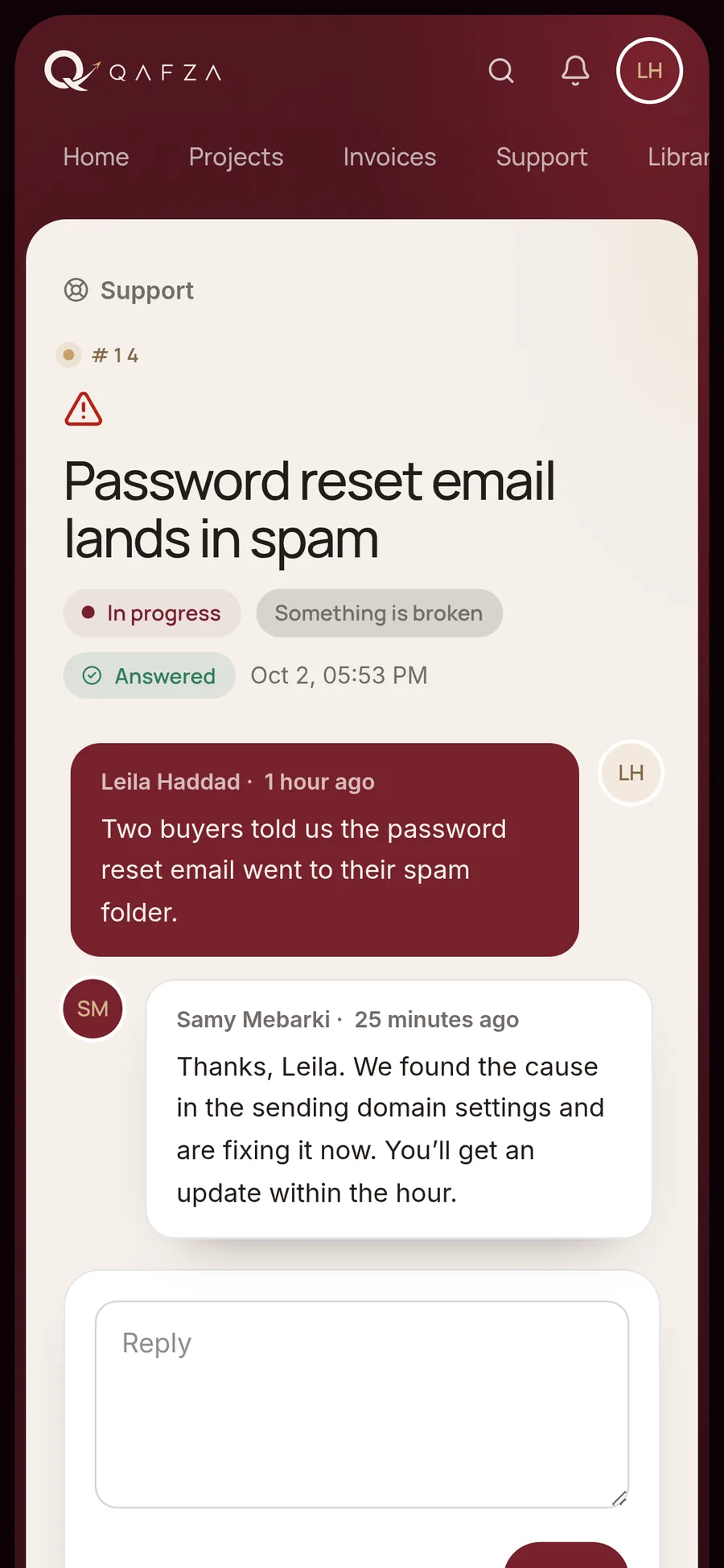
Your clients follow their project live.

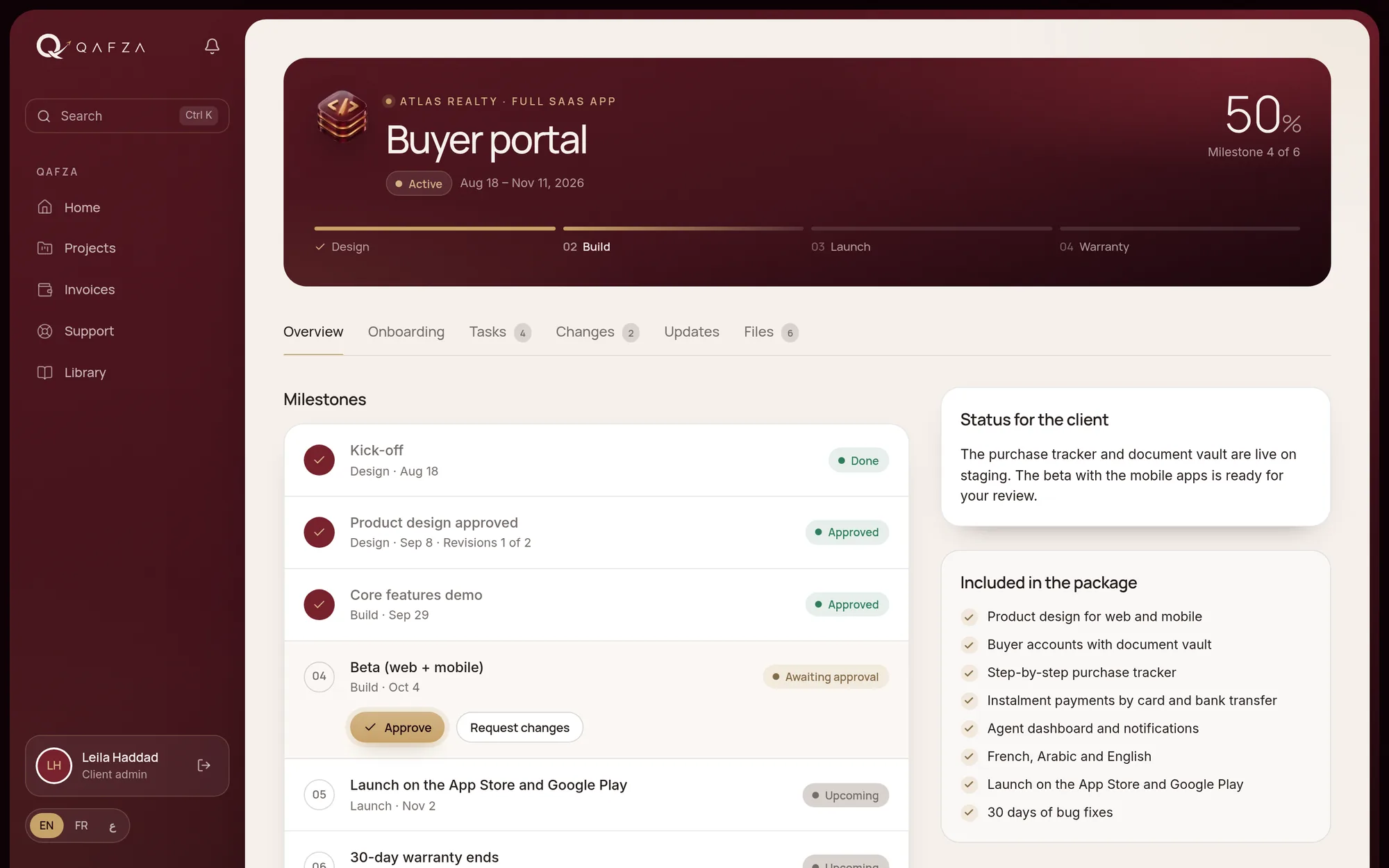
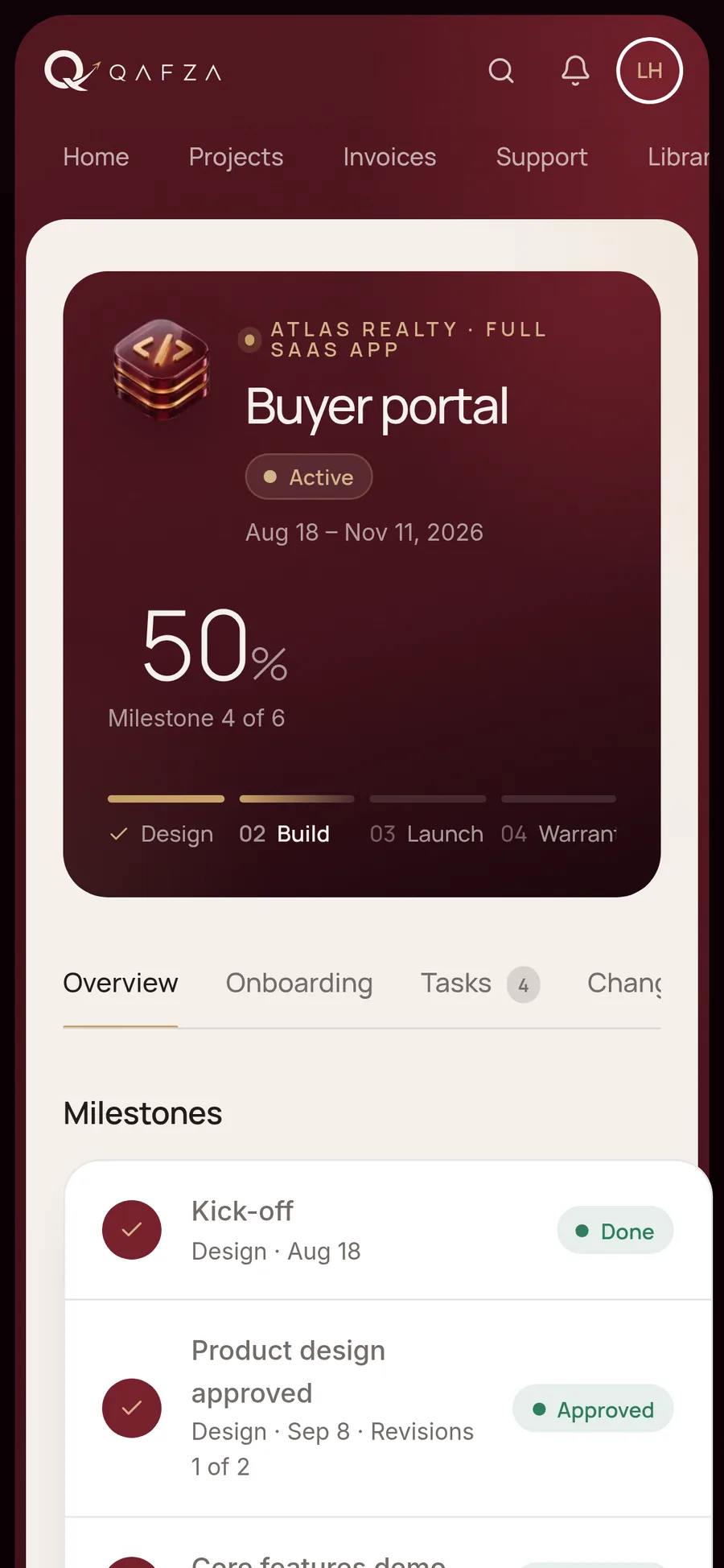
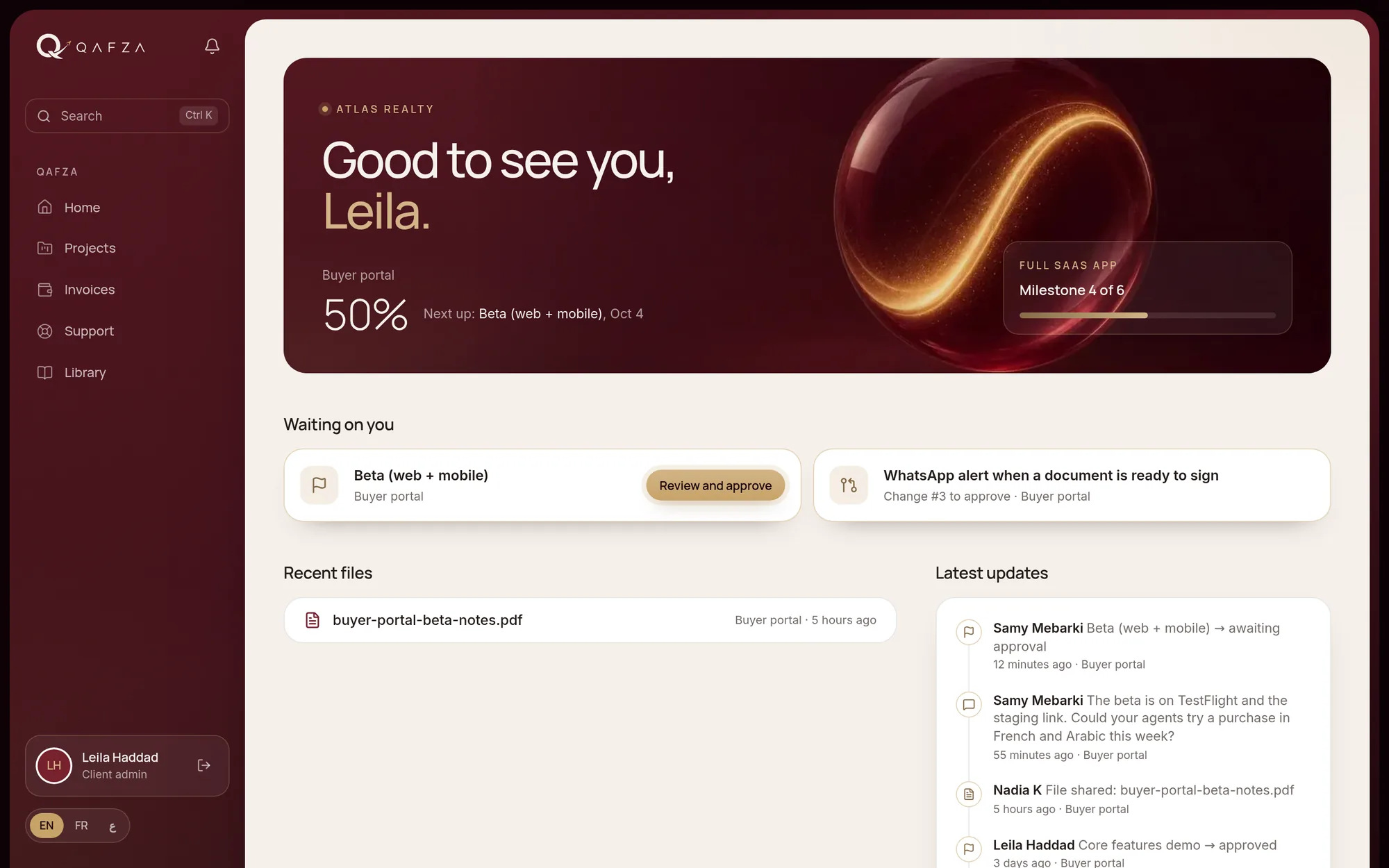
Clients see their timeline, what is waiting on them, the latest updates and their files, on the web or as an app on their phone.

  • Timeline of milestones and what comes next
  • Previews and walkthrough videos on each milestone
  • Meeting recaps and weekly updates your team approves first
  • Handover with files, accesses and the launch page
app.your-agency.com/projects
Client portal
Change requests

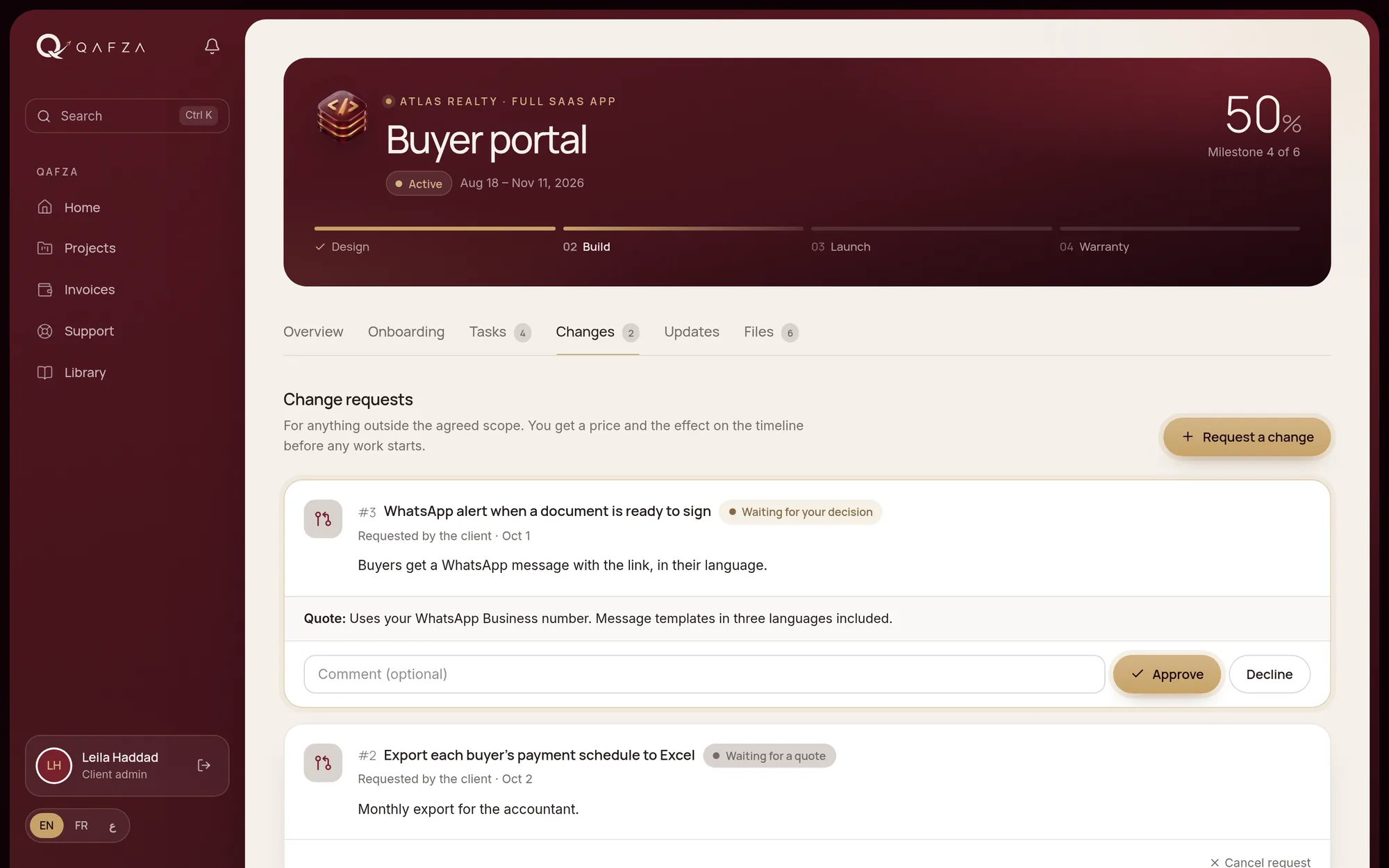
Extra work, agreed before it starts.

A client asks for a change, your manager quotes it, the client approves it. The task, the new deadline and the invoice line follow on their own.

  • Request, quote, approve or decline
  • Approved changes create a task and move the due date
  • The amount lands on the project’s draft invoice
  • Prices visible only to the people allowed to see them
app.your-agency.com/projects/changes
Change requests
Support

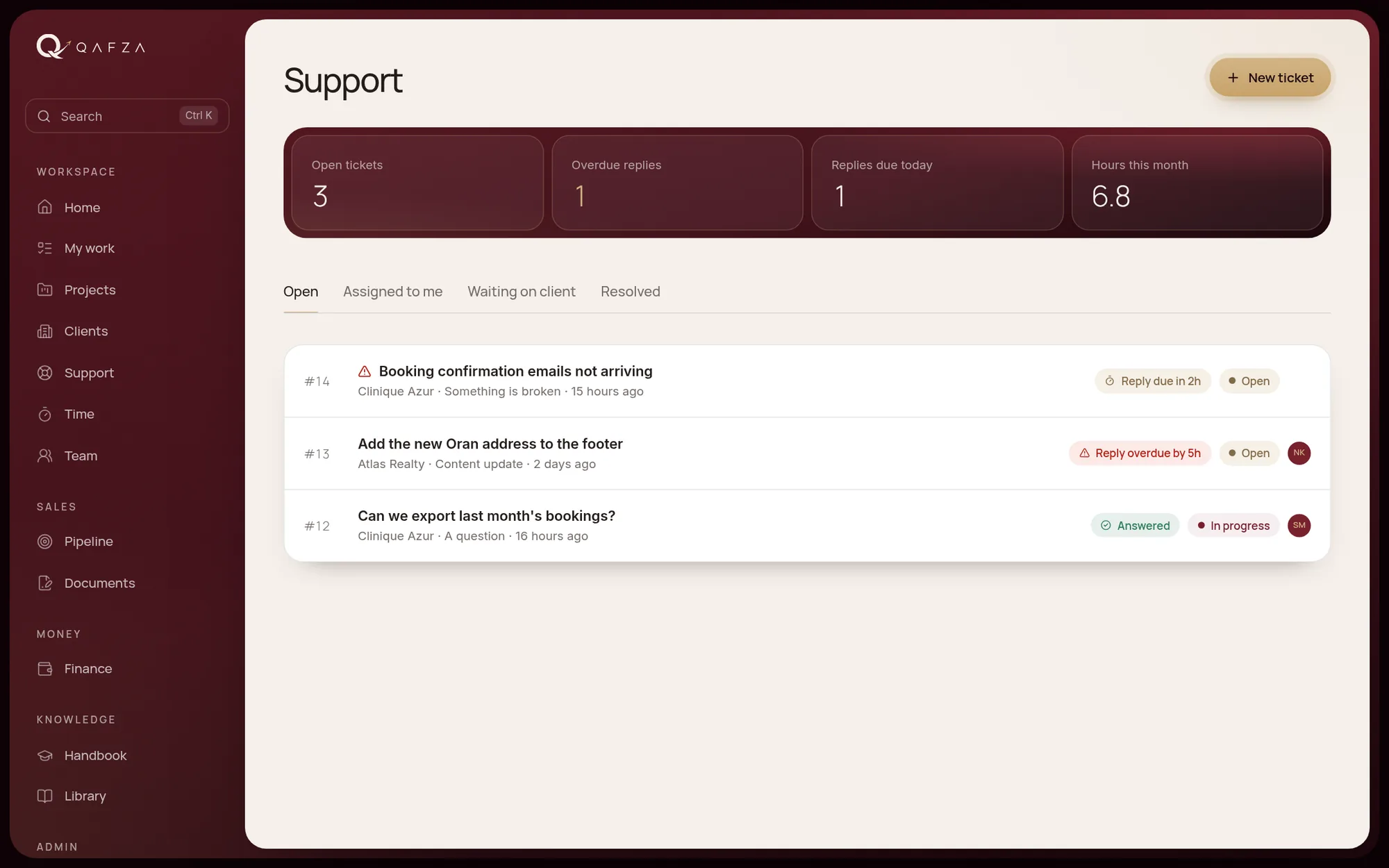
Requests with reply deadlines.

Care plans set the first-reply time and the hours included each month. The clock counts your business days and hours.

  • Tickets with internal notes hidden from clients
  • First-reply deadline per plan, on your working hours
  • Hours used this month against the plan
  • Website monitoring, SSL and domain alerts
app.your-agency.com/support
Support
My work, time and workload

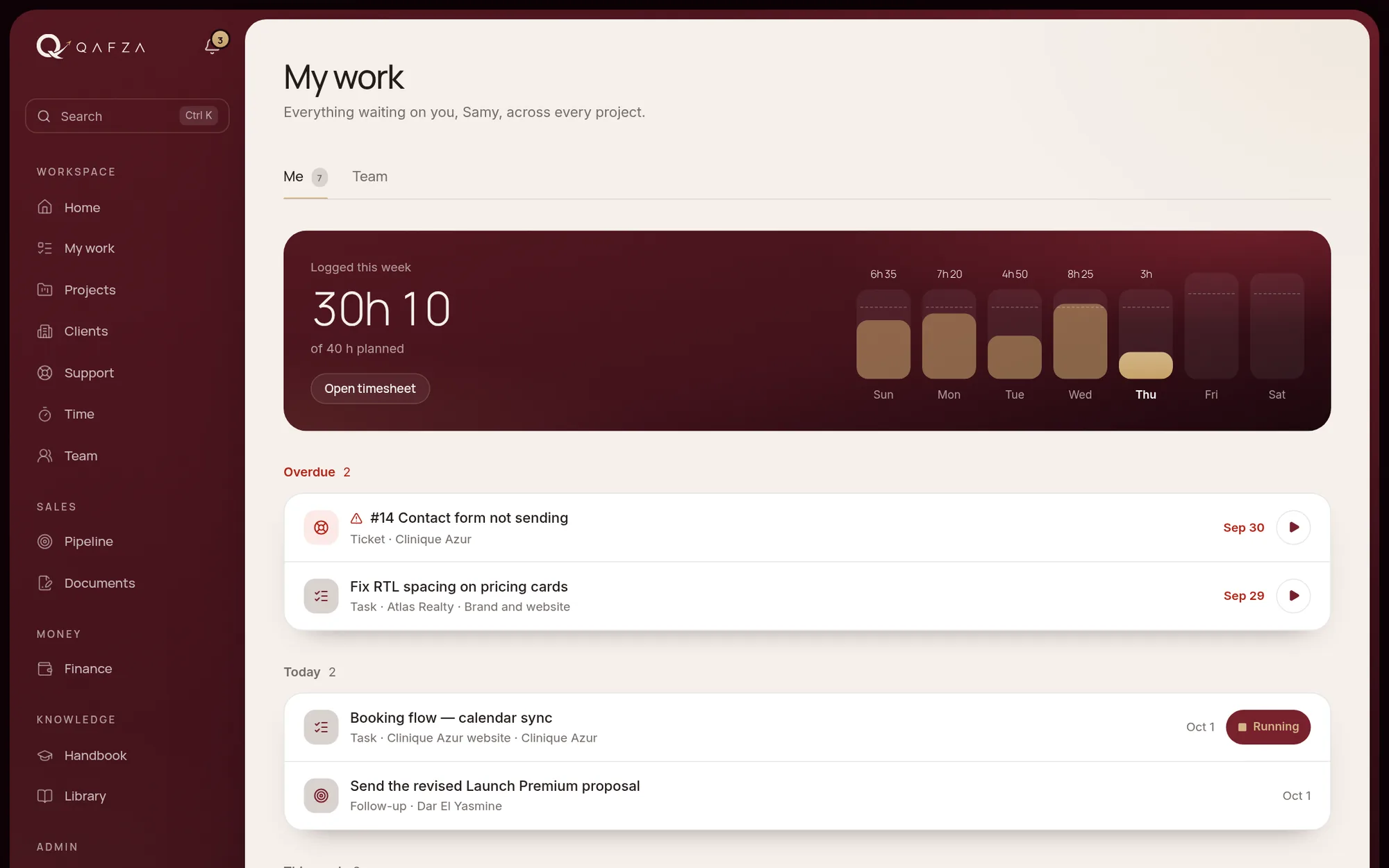
Everyone’s day in one list.

Tasks, approvals, support requests and follow-ups across all projects, with the week’s hours against each person’s capacity.

  • One running timer per person, and a timesheet
  • Team workload from task estimates
  • Profit per project, for finance only
  • Global search with Ctrl/⌘ + K
app.your-agency.com/my-work
My work, time and workload
Reports and feedback

Show the work, keep the trust.

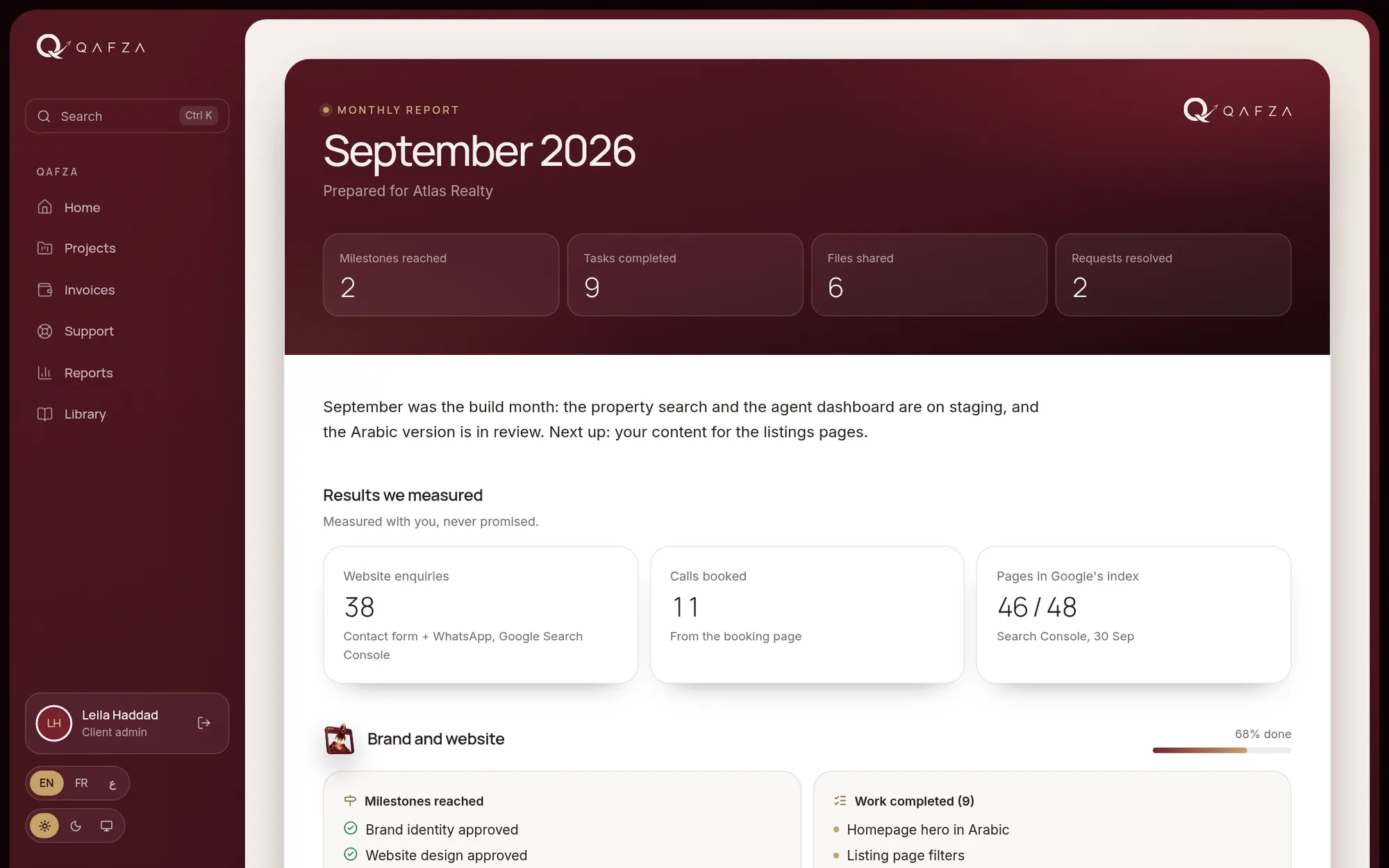
A monthly report per client is drafted from the work done. Clients rate each milestone, and approved testimonials become case studies for your website.

  • Monthly client reports, reviewed before sending
  • A one-question check-in after each approved milestone
  • Testimonials with publishing consent
  • Case studies drafted from finished projects
app.your-agency.com/reports
Reports and feedback
Team handbook

Onboarding for every role.

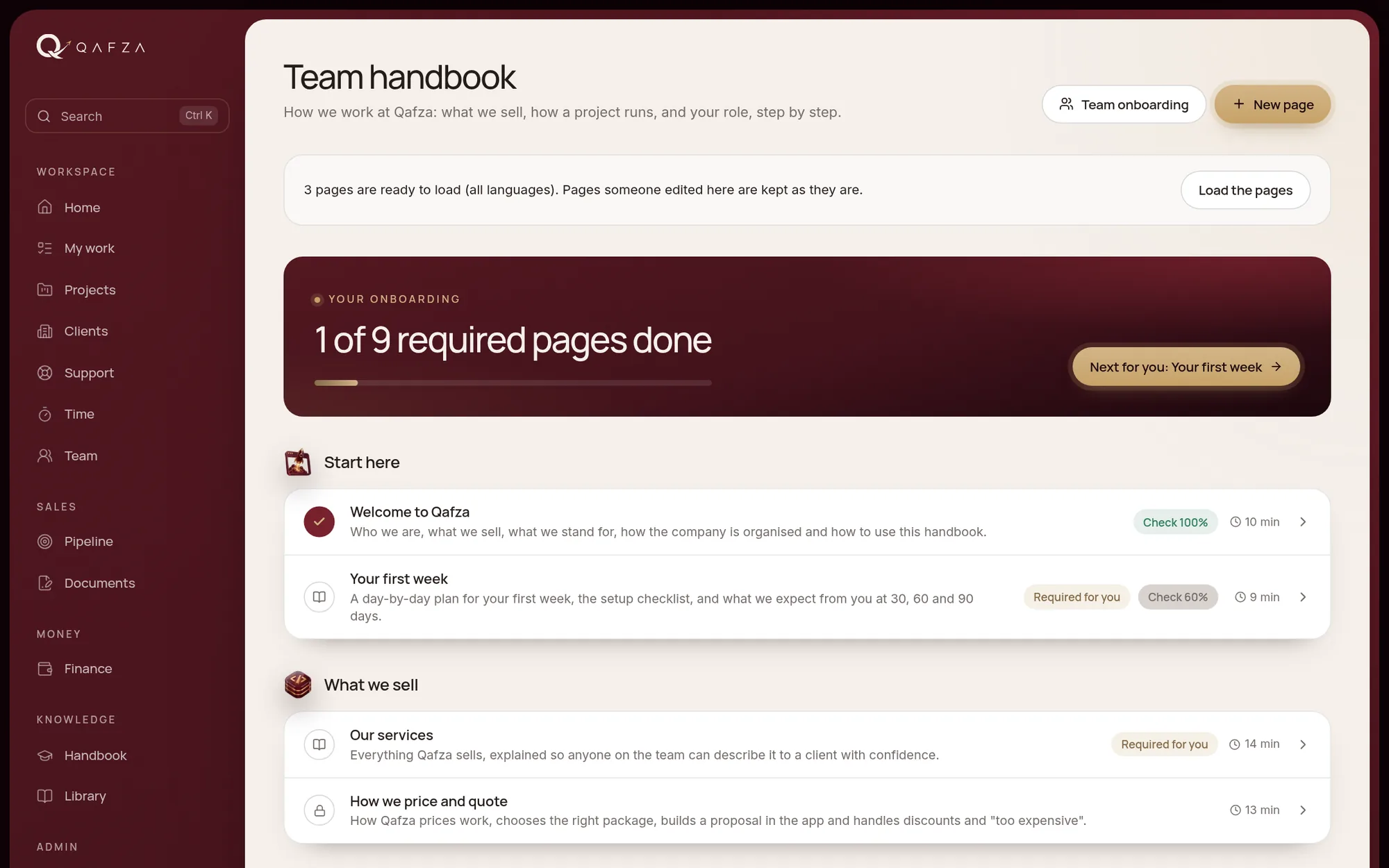
Your handbook in three languages, with checklists and self-checks per role, and a view of who has finished their onboarding.

  • Pages per role and language
  • Checklists and quizzes graded in the system
  • Progress per person for managers
  • Live blocks that show your packages and plans
app.your-agency.com/handbook
Team handbook

Screens shown with sample data.

Also included

And the parts that keep it running.

Billing

Invoices from milestones, recurring billing, payment reminders before and after the due date, several currencies and numbered cash receipts.

Owner dashboard

Money, sales and delivery on one screen: what is due, what is late, which projects need attention.

Referrals

A personal referral link for each client, with how each referral went and the reward you choose.

Launch check

A readiness check before go-live: speed, HTTPS, SEO basics, links and more, shared with the client when you choose.

See it with your own work in mind.

A 30-minute call, with sample data and your questions.

No card needed. Your own workspace and a sample one to explore.

app.your-agency.com
Chat on WhatsApp